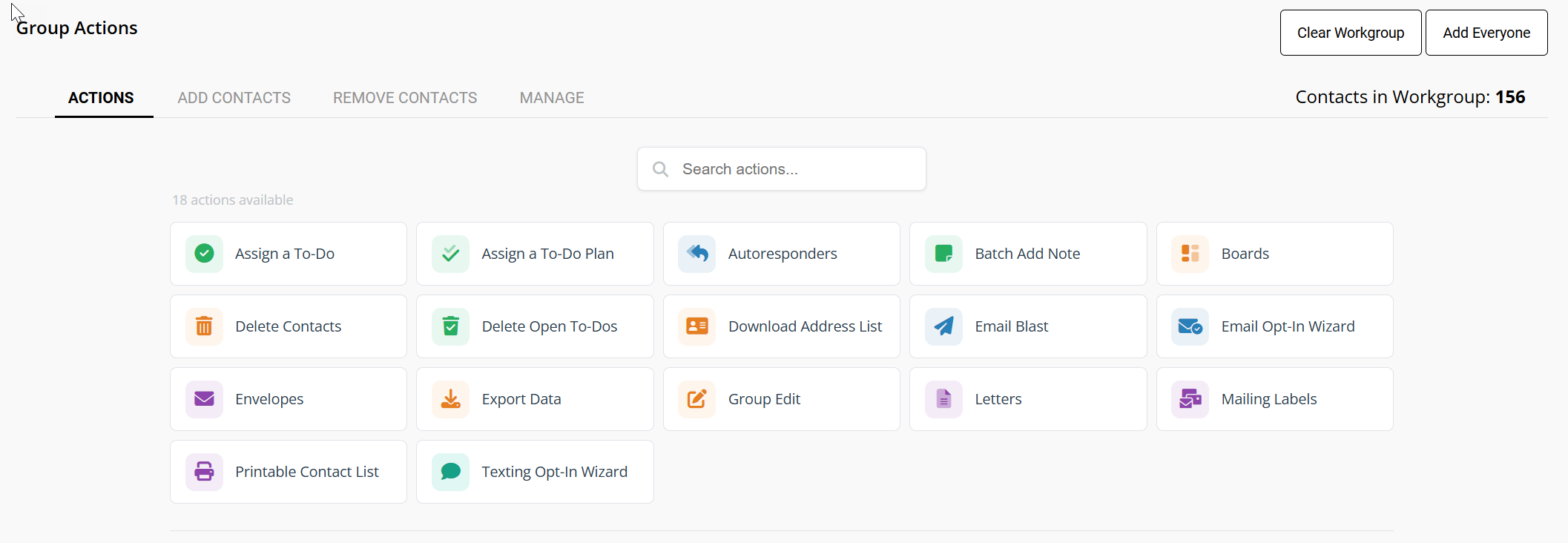
Alphabetized Group Actions, Boards - Add and Remove Contacts and Who/Who Didn’t Analytics
Group Actions (ClientTouch) - Alphabetized Actions
Navigating ClientTouch Just Got Easier. We’ve organized the Group Actions menu alphabetically, ensuring you can find the tools you need in seconds. This update provides a cleaner interface and gives us the flexibility to keep expanding your toolkit with new options soon.
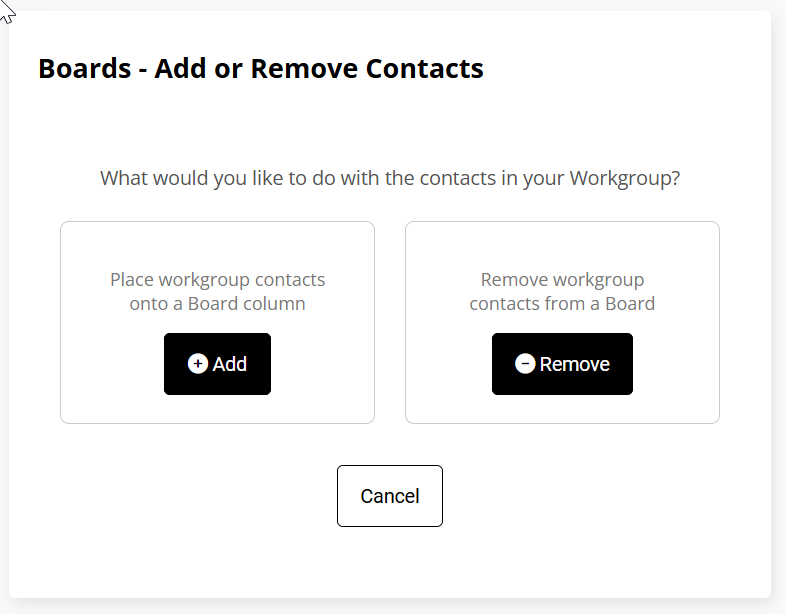
Boards - Add or Remove Contacts
Thanks to our new menu layout, we’ve already added a highly requested feature! You can now use Group Actions (ClientTouch) to add or remove a group of contacts to a Board all at once. This makes moving large batches of leads through your pipeline faster than ever.
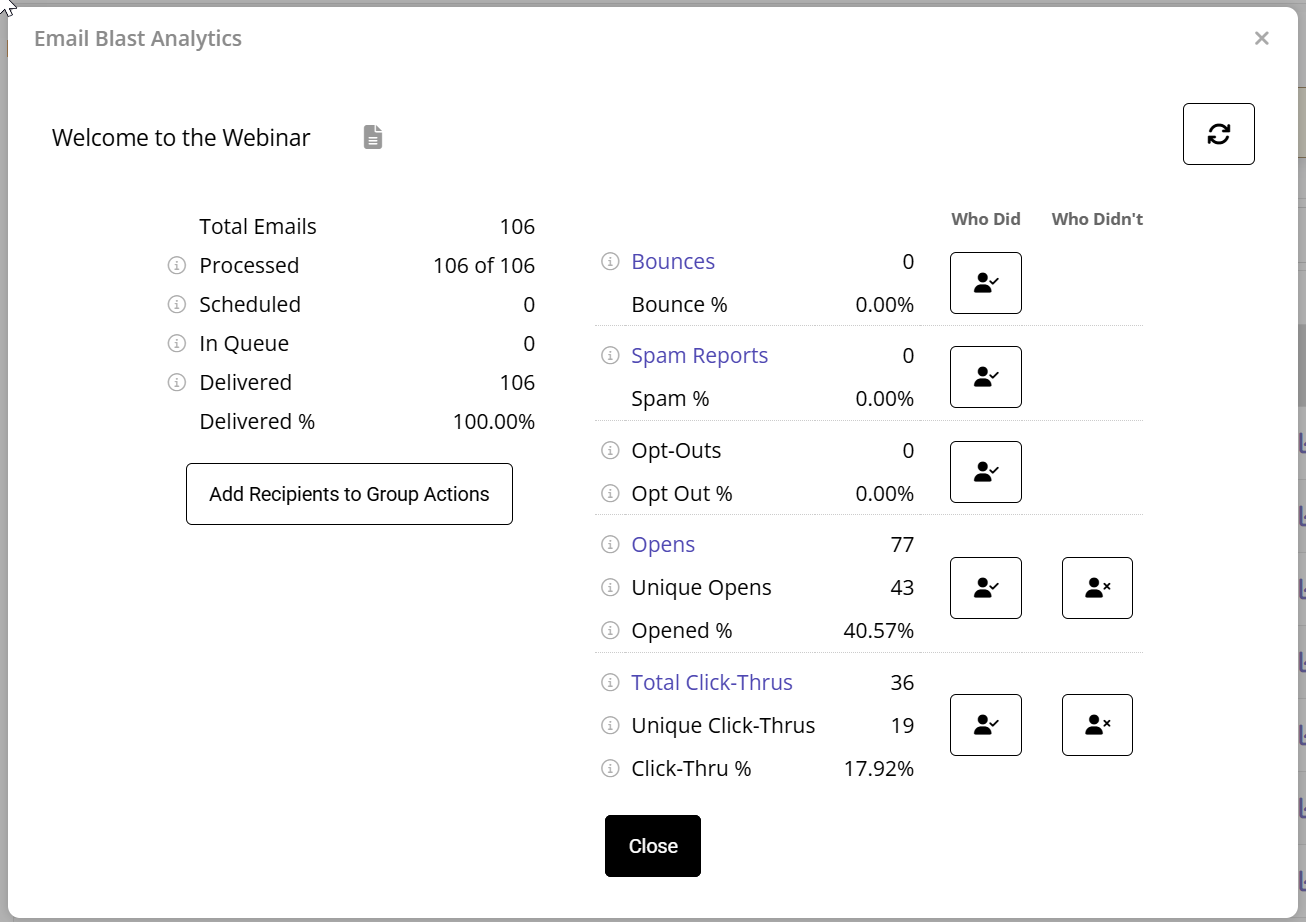
Email Blast Analytics - Who Didn't Reporting
We’ve enhanced the Email Blast Analytics Report to help you identify exactly who is engaging with your content—and who isn't. You can now toggle between "Who Did" and "Who Didn't" to quickly identify contacts who haven't opened your email or clicked a link. This makes follow-ups a breeze!
Note: While click data is precise, remember that open rates can vary, as some mail providers block open tracking for privacy.