Product update
Teams - Edit the Calendar of Other Users
April 22, 2019 All product updates →
We’ve added the option to edit the Calendar for other users.
Go to the Calendar, use the top drop down to view a different user’s Calendar. Add, Edit or Delete appointments. Watch for the notification at the top of the Calendar when in another user’s Calendar.
This is automatically turned on for account Owners. The permissions do need to be set to allow for your team to also edit other Calendars.
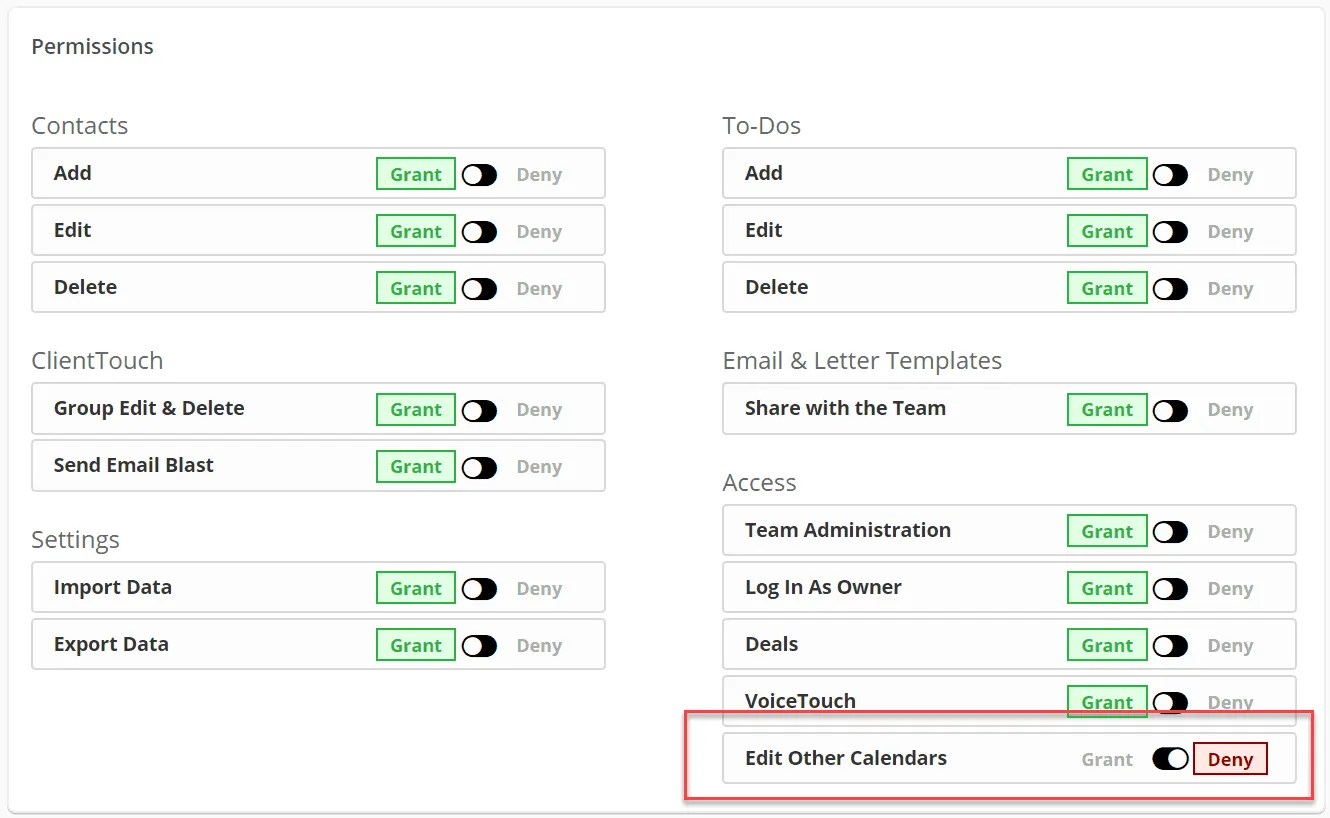
Watch this video to learn more about team permissions.