Product update
Edit Custom Field Layout
March 11, 2022 All product updates →
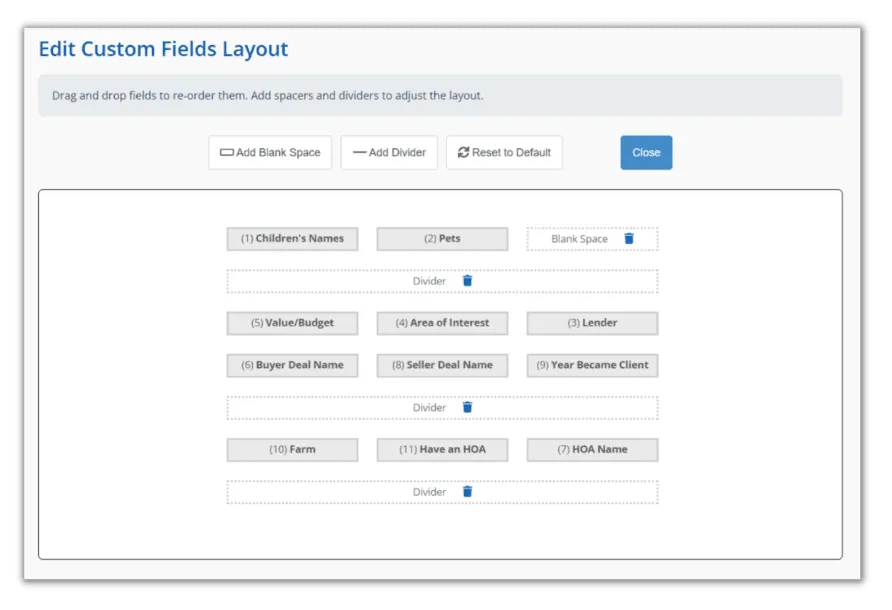
You can now edit the layout of the Custom Fields!
In Settings → Custom Fields → click the Edit Layout button and you can:
-
drag and drop to change the order
-
add spacers
-
add dividers
This will change the layout for adding and editing contacts and also move the data in existing fields when moving them to your new layout.