Product update
Delay Workflow Steps
December 17, 2021 All product updates →
If you have a contact that has pending steps in their workflow, you can now delay those steps.
This will be useful if someone is going to be on vacation for 2 weeks and wants you to follow up upon their return, etc.
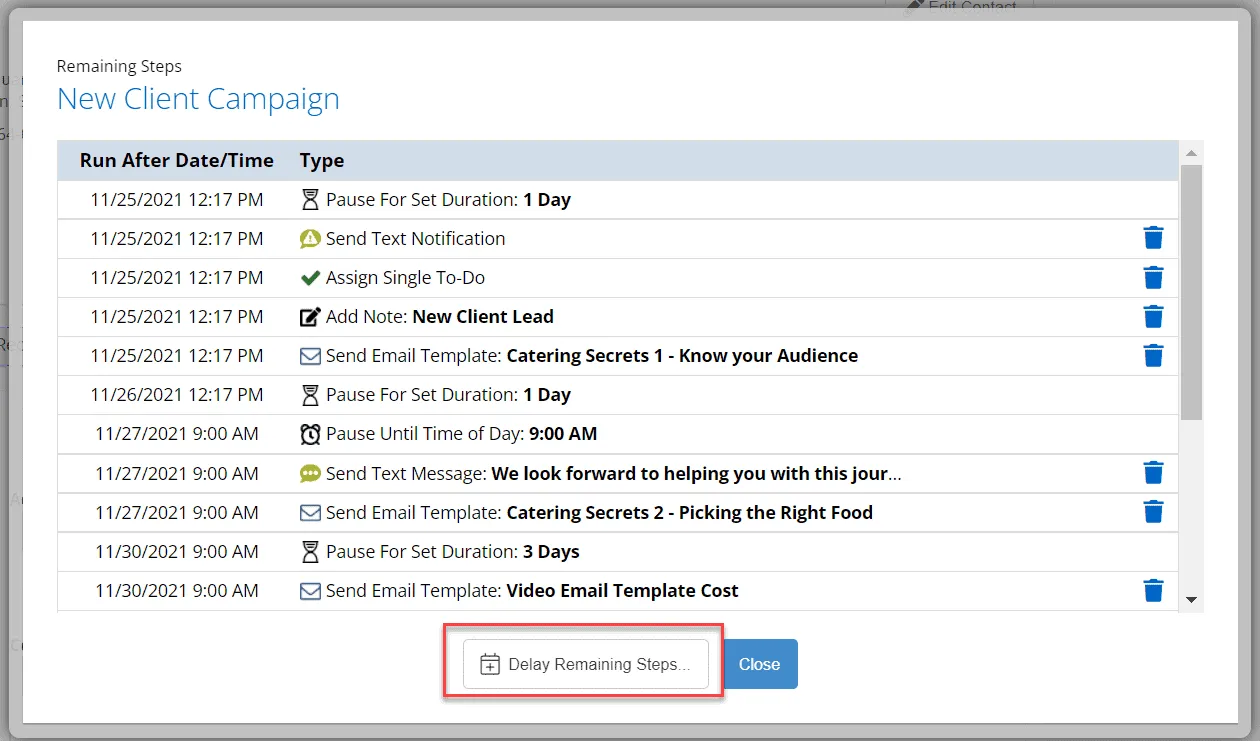
From the contact’s workflow tab, click the Delay Remaining Steps option.
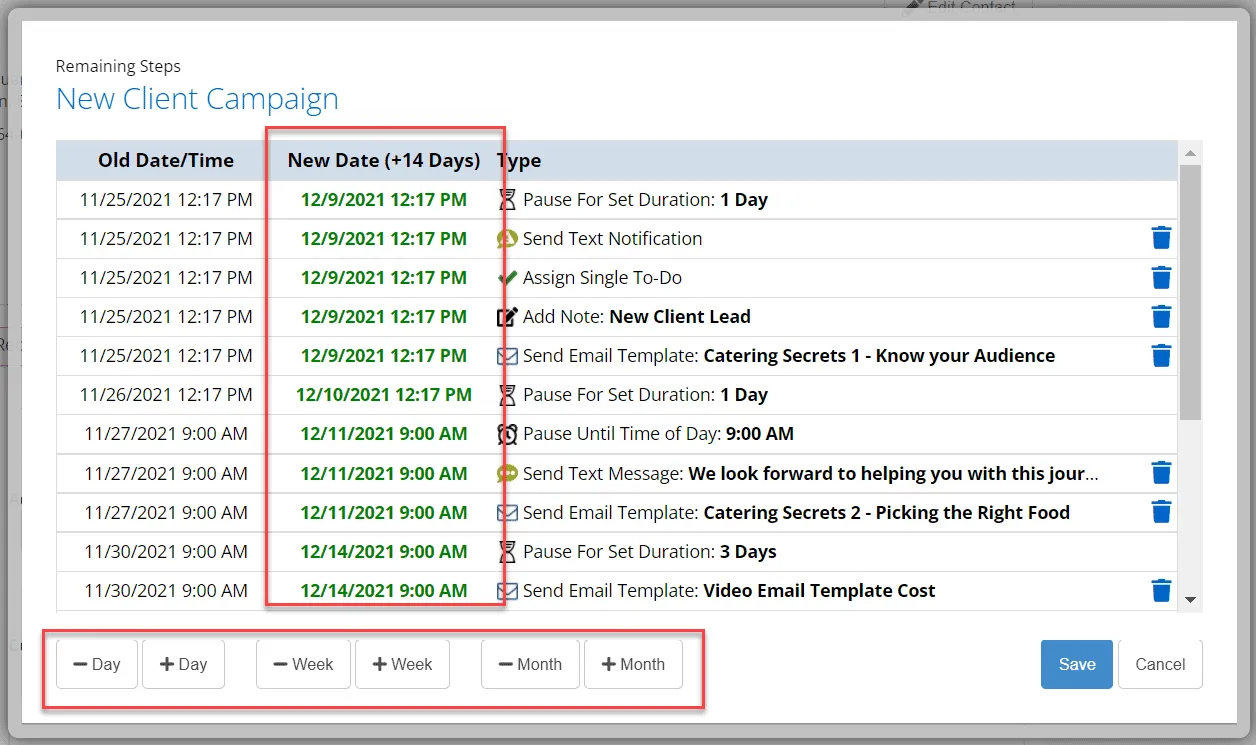
Use the + and - buttons to edit the length of the delay (you can’t make them go faster, just delay).
You will see in green a preview of the new schedule for the pending steps.