8 CRM Myths You Need to Stop Believing

There’s a lot of mystery around CRMs, and along with it come the myths. Some are so common, and so wrong, that I wanted to clear them up.
Here’s the short version. A CRM is just a tool for keeping track of your customers and following up with them. AllClients has been a CRM for very small businesses since 2004. It keeps your contacts, captures your leads, sends your email marketing and runs your follow-up automatically, starting at $24 a month. Most of what scares people away from a CRM comes from software built for much bigger companies.
Myth 1: “I’m Too Small for a CRM”
Size isn’t the test. If your next sale depends on following up, you’re already managing customer relationships. You’re just doing it the hard way, with sticky notes and your memory.
Here’s the hard way. You meet someone at a conference who asks you to follow up in 90 days. You put their number on a sticky note by your desk. Around day 35, it falls behind the filing cabinet. Day 90 comes and goes, and they buy from someone else. You never even knew you lost the deal.
The easy way: you add them to your CRM from your phone, put them on your monthly newsletter and set a reminder to call in 75 days. When you call, they remember you.
Not every business needs a CRM. I wrote about who can skip one in Do I Really Need a CRM? But “small” isn’t on that list.
Myth 2: “All CRMs Are the Same”
Oh boy, is this ever a myth. Take Salesforce and AllClients.
Salesforce is a beast. That’s a good thing if you have hundreds of employees and a long, complicated sales process. It can do almost anything, and it usually takes an expert to set it up and keep it running.
AllClients is built for small and very small businesses. It can’t compete with everything Salesforce does. It does what most small businesses need, and nothing more, which is why it’s easy to learn and easy to use.
That’s not good versus bad. It’s different businesses needing different things. More in Why Your Business Doesn’t Need Salesforce.
Myth 3: “My CRM Has to Integrate With Everything”
In a perfect world, one piece of software would run your accounting, your operations and your marketing. Wow, where do I sign up?
Not so fast. Software that tries to do everything usually does most of it in a mediocre way. So people buy the best tool for each job, then decide everything has to talk to everything else.
That’s usually not cheap, and once the computers are talking to each other, nobody’s watching the data. When one side updates, the connection can quietly break for weeks before anyone notices. In the worst case, it damages your data.
Some integrations are worth it. Connecting your Gmail or Outlook so every client conversation shows up inside your CRM is one. But don’t spend real money automating away a task that takes a few minutes a day. Integrate only when it’s necessary.
Myth 4: “CRMs Don’t Work for Me”
You tried a CRM once. It was hard to learn, your normal tasks got harder, and you dreaded opening it. Now you tell yourself, “I’ve been there and tried that.”
Before you throw in the towel, know two things. There are many flavors of CRM, built for very different businesses. And some CRMs are just plain awful. Sorry, there’s no polite way to say it. A bad CRM will cost you time, money and probably customers.
So don’t be so hard on yourself. If it didn’t work, it was probably built for a bigger company than yours. I wrote a whole post about that: Why You Quit Every CRM You Start.
Myth 5: “A CRM Requires Technical Skills”
Some CRMs really are a blank canvas, and you need a skilled artist, usually a paid consultant, to paint the picture and keep it up to date.
Most don’t work that way. If you’re a real estate agent, a chiropractor or a restaurant owner, you know your business inside and out. You just want to use the CRM, not write code to make it go.
AllClients is built for non-technical users. A great CRM is one where you can get in, do your work and get out. If a CRM needs extensive setup and constant attention, keep looking.
Myth 6: “CRMs Are Intimidating”
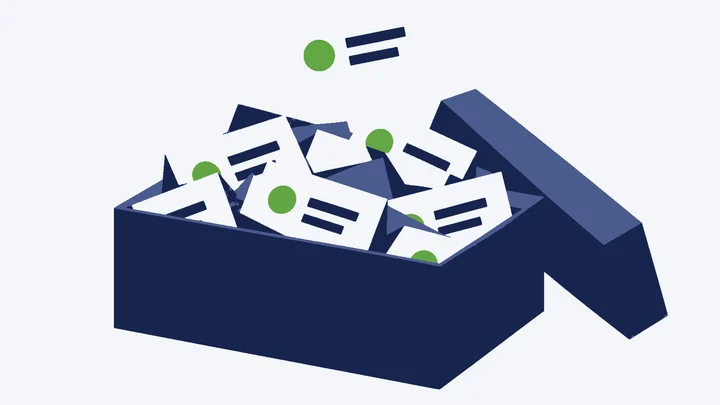
Moving your business into new software feels scary, just because it’s unknown. So forget the word “CRM” and picture a magic box.
Put every customer’s name, phone number and email in the box. Get them out of Gmail, Outlook and the business cards taped to your wall. Got a spreadsheet of past clients? Toss it in. From now on, every new lead goes in the box too.
If you only did that, you’d be ahead of most of your competition. When you’re ready, take baby steps: add a note every time you talk to a client, set reminders for follow-ups, and sort your contacts into past clients, current clients and prospects.
Then start emailing them, and let Workflows handle the follow-up automatically. A good CRM lets you crawl, walk and then run. And if gathering everything up sounds like work, we’ll move your contacts in for free.
Myth 7: “Email Is Dead”
I think that phrase was made up by the companies selling business texting. Email and texts are just tools. When you buy a new hammer, you don’t throw away your wrench.
Email doesn’t interrupt you. You read it when it suits you, which is why it works so well for marketing and follow-up. A text demands your attention right now, and most people save their phones for family and friends. Nobody wants “Big appliance sale this week!” landing next to “Jeff! This is your mother! Call me!”
Texting is great for things people want to hear about, like an appointment reminder. That’s why AllClients has texting built into every plan, right next to email. More in Text Message Marketing in Your CRM.
Myth 8: “Gmail and Outlook Can Do the Job of a CRM”
Gmail and Outlook are good electronic Rolodexes. They take care of the C in CRM. Then they stop.
The R and the M, managing the relationship, means notes on every customer, follow-up reminders and staying in regular contact. Your inbox doesn’t do that. And your regular email isn’t built for sending to a list. I explained why in Why You Should Never Use Your Regular Email for Marketing Emails.
Keep using Gmail or Outlook. Just connect it to a CRM instead of asking it to be one.
The Bottom Line
Myths come from uninformed people making uninformed claims. Repeated enough, they start to sound like facts. Small businesses need CRMs too, they aren’t all the same, and you don’t need to be a computer guru to use one.
AllClients lets you crawl, walk and then run. When you need help, you reach a real person on our US-based support team.